Introduction#
In 2025, I managed to pass two major milestones in my cybersecurity journey:
- the Burp Suite Certified Practitioner (BSCP) in January
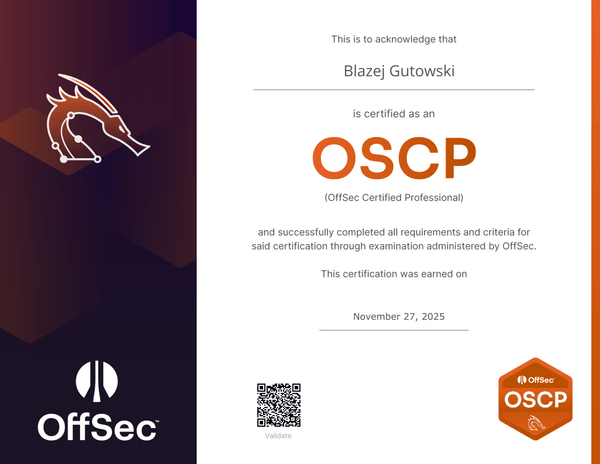
- the OffSec Certified Professional (OSCP) in November.
This post focuses on the OSCP, specifically because it was my second attempt. There was more than a year between my failure and my eventual success. It was a long road, but I am happy to finally share my journey, the mistakes I made, and the financial and technical strategy that got me across the finish line.
My Story: The Timeline#
At the beginning of 2023, I decided that cybersecurity was my path and that the OSCP was the necessary gateway. After digging around on TryHackMe, I bought the 90-day course access in November 2023.
To be honest, 90 days was not enough for me. I ended up buying two separate 30-day lab extensions. I took my first exam attempt in April 2024 and failed with 40 points (compromising two standalone machines). The exam format was different back then, and I simply couldn’t get initial access to the Active Directory (AD) set.
After that failure, I received advice to “master the web” side of things first. I spent six months preparing for the BSCP, which I passed in January 2025. With that confidence and web knowledge, I started my second preparation phase for the OSCP.
Why OSCP?#
Despite the controversy sometimes surrounding certifications, OSCP remains the industry standard. For newcomers like me, it opens doors. It proves not just technical skill, but the mental resilience to “try harder.” I hope this certification, combined with my skills, will help secure my first full-time role in cybersecurity.
Note on my background: I have over 7 years of experience as an IT Administrator. This gave me a solid foundation in networking and infrastructure, which is crucial for this exam.
The Economics of OSCP: A Pricing Analysis#
Before diving into technical preparation, we need to talk about the cost. Is the course worth it? This is a significant investment, especially in the Polish market where I am based.
If you look at the current OffSec pricing, it follows a “ladder scheme” similar to Apple products (a concept highlighted by MKBHD here ).
Let’s break down the numbers (as of late 2025):
- Standalone 2 Exam Attempts without the course: 1699$
- Course + 90 Days Lab + 1 Exam Attempt: $1749.
- Retake Fee: $249.
- Lab Extension (30 days): $359.
- Learn One (1 Year Access + 2 Exam Attempts): $2199 (Regularly $2749).
The Trap: Standalone 2 Exam Attempts are not worth the price, if you buy the standard course ($1749), you have 90 days. Unless you are unemployed with no family obligations, finishing every lab in 90 days is incredibly difficult. furthermore, the exam can be random; you might just have a bad day. If you fail, you pay $249 for a retake. If you need more lab time, that’s $359.
- My Scenario: $1699 (Base) + $249 (Retake) + 2x$359 (Extensions) = $2,666
The Solution:The Learn One subscription is currently the best value proposition. You get a full year of access and two exam attempts. Even if you are experienced and think “I don’t need the course,” the safety net of the second attempt and the stress-free timeline of one year makes the $2199 price tag logically superior to the “cheaper” option that inevitably has hidden costs. Always check the OffSec FAQ for your questions.
Study Materials#
The official course is good, but you need external resources to truly understand the methodology. Here are the ones that saved me:
Hexdump’s OSCP Guide : YouTube Playlist. This guy is great. He helped me immensely, specifically with the Active Directory department.
0xdf : He doesn’t just show the walkthrough; he explains the “beyond root” concepts, which helps you understand why an exploit worked.
IppSec : A search engine for his videos. If you are stuck on a specific service (e.g., “Jenkins”), search it here.
The Hacker Recipes : Technical concepts explained well with copy-pasteable commands.
Hacking Articles : Similar to Hacker Recipes, great for specific attack vectors.
My Study Methodology#
OSCP is essentially a massive CTF (Capture The Flag) consisting of three standalone machines and one AD scenario. You need CTF experience to pass.
- The Labs
Inside the OffSec course, there are three AD scenarios. Do not skip these. You will not find better AD practice that mimics the exam environment anywhere else.
- External Practice
(Lainkusanagi OSCP List ) It is more up to date version of famous TJNull list of machines
TryHackMe (THM): I used this before starting the course. It is very beginner-friendly.
HackTheBox (HTB): (~$25/month). I focused heavily on this during my second preparation.
Proving Grounds (PG): (~$19/month). I moved to PG after HTB. Proving Grounds is the closest experience to the actual exam machines.
- How to Practice
At the beginning, even “Easy” machines will feel difficult. Do not be cruel to yourself.
- If you are stuck, use a hint. Use LLMs: “Give me a hint for machine X on HackTheBox.”
- If you don’t know a subject, research it on HackTricks.
- You don’t need to know everything before you start machine; you learn while doing the labs. My approach was HTB first, then PG to polish my skills before the exam.
Notes and Documentation#
You do not need “perfect” notes for every subject.
My Strategy: I created a GitBook. One page for walkthroughs (writing down my steps helps retention) and another for “Cheatsheets.”
What to write down: Focus on potatoes-based attacks, pivoting commands (Chisel/Ligolo), and anything you found complicated. Write down the exact commands so you can copy-paste them during the exam.
The Exam Experience#
The exam is 24 hours. It is a test of endurance as much as skill.
My Timeline: I secured 60 points in the first 8 hours. However, the next 20 points took me another 10 hours.
The Power of Breaks: I noticed that my biggest breakthroughs came after I stepped away from the computer. I know the pressure makes you want to stay glued to the screen, but skipping breaks caused me unnecessary frustration.
Hardware Matters: During my first attempt, I used a laptop that was too weak. Running the exam monitoring software, screen sharing, and your VMs simultaneously is resource-intensive. On my second try, I used a PC to avoid lag.
Reporting#
Do not wait until the exam is over to document. After every significant step, copy the command and take a screenshot. Going back to re-exploit a machine just to get a screenshot is a waste of precious time. For the final report, I used SysReptor. It has an OSCP template that saved me a lot of time, though it still requires effort to fill out properly.
Final Tips for Future Students#
Start with AD: On the exam, start with the Active Directory set. It is usually more structured than the standalone machines, which can be very random/CTF-like.
Use a Good Computer: Ensure your hardware can handle screen recording and VMs without lagging.
Force Yourself to Take Breaks: especially when you are stuck.
Practice Reporting: Treat your practice machines like the exam. Take notes as you go. Use dedicated software for final report like Sysreptor
Don’t Obsess Over Note Aesthetics: Your notes are for you. As long as you can find the command you need, they are good enough.
Conclusion#
This was a long journey involving money, time, and nerves. However, passing the OSCP on my second try has given me a massive boost of confidence. It proved to me that I have the discipline to learn, the resilience to fail, and the ability to—in true OffSec fashion—Try Harder.